Install the extension — watch your first competitor tonight
Competitors reprice several times a week. With 2 checks a day on Free and 4 on Pro you see the move the same day — not in tomorrow's report.
4 steps to put AI on competitor watch — 22 tools, on your behalf
Install the Extension
One click from the Chrome Web Store, or an offline zip. Pin it to your toolbar.
Capture products on Shopee
Open any Shopee product page and click "Start Monitoring" next to the price.
Generate an MCP Key
Copy your MCP Key from extension settings — your AI client reads your watches with it.
Pick an AI workspace
Paste one line of config into Cherry, Cursor or Claude Desktop, then just ask.
Install the Extension
One click from the Chrome Web Store, or an offline zip. Pin it to your toolbar.
Browser installation guides
PriceMinder is on all major browser stores. Pick your browser for step-by-step guides with screenshots and video. Install online from the store, or download the package for offline installation — then start tracking your first competitor.

Online + Offline Install

Online + Offline Install

Online + Offline Install

Offline Install
Works everywhere — any browser, any OS
- Browser: Google Chrome 120+ (minimum requirement: 88+)
- Other Chromium-based browsers also work: Edge / Brave / Arc
- OS: Windows / macOS / Linux — all supported
- No backend or account needed to try it. Log in for cloud-synced watchlists
About offline installation:
- Chrome 127+ has disabled drag-and-drop CRX file installation.
- This extension offers ZIP offline install — download the zip, enable "Developer mode" at chrome://extensions, and drag the file in to install.
- This extension also offers an unpacked-folder offline install — download and extract, then use "Load unpacked extension" to install. Same result.
One-Click Browser Extension
Add monitoring with one click on any Shopee product page — auto-detects site and product info, no manual link pasting required
Capture products on Shopee
Add competitors straight from the product page — and set your check cadence, threshold and Feishu alerts along the way.
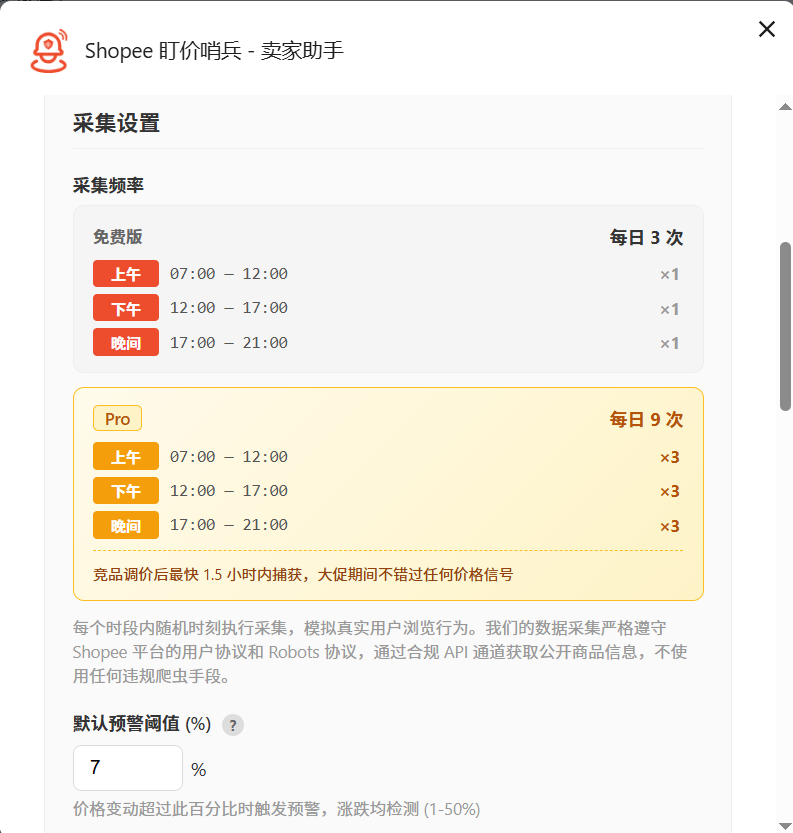
Set your cadence and threshold
Choose check windows and a price-change threshold in extension settings (5% by default). Free runs 2 checks a day; Pro runs 4.
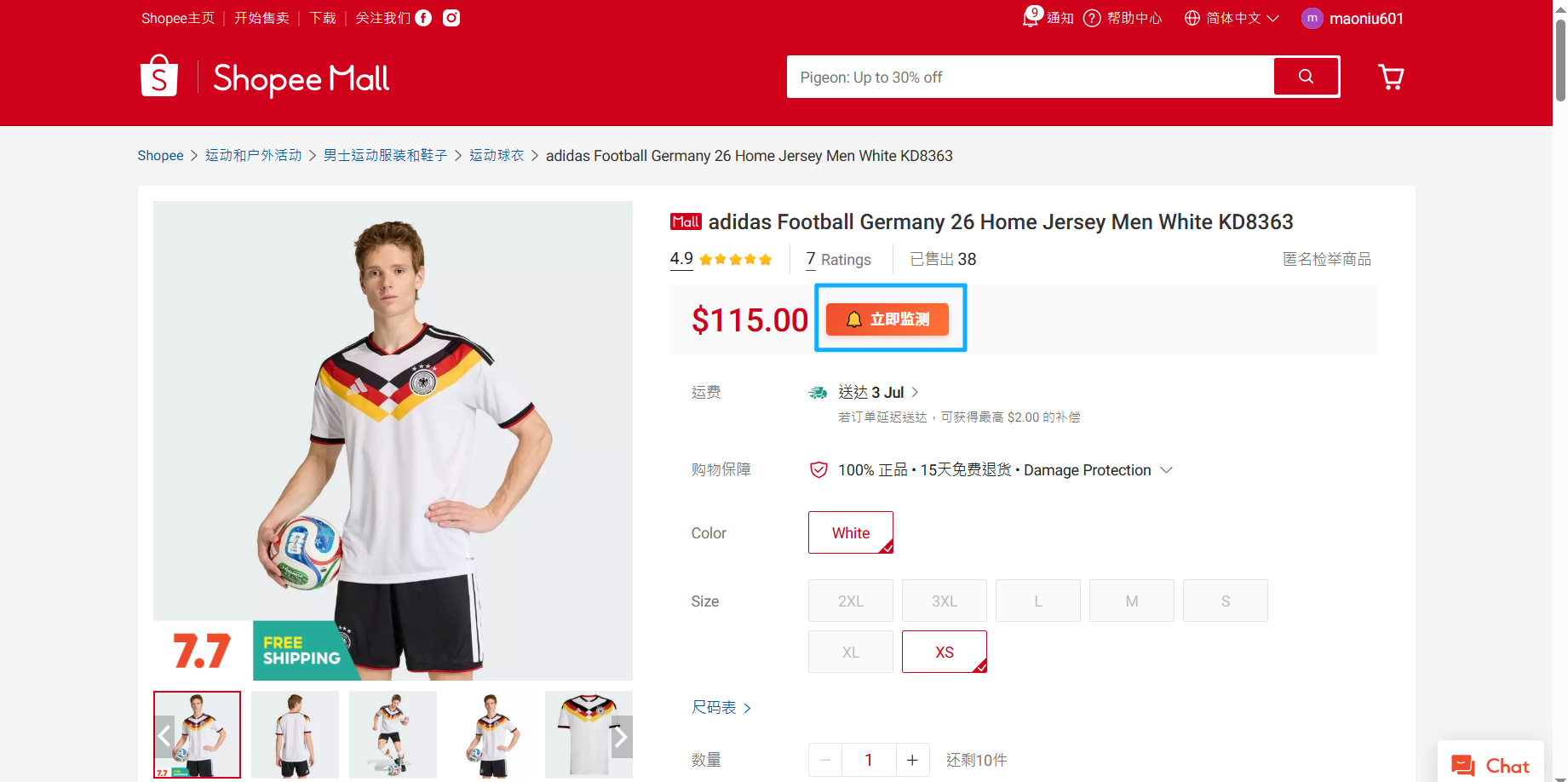
Add a product to your watchlist
Open a competitor's product page and click "Start Monitoring" next to the price — it joins your watchlist instantly.
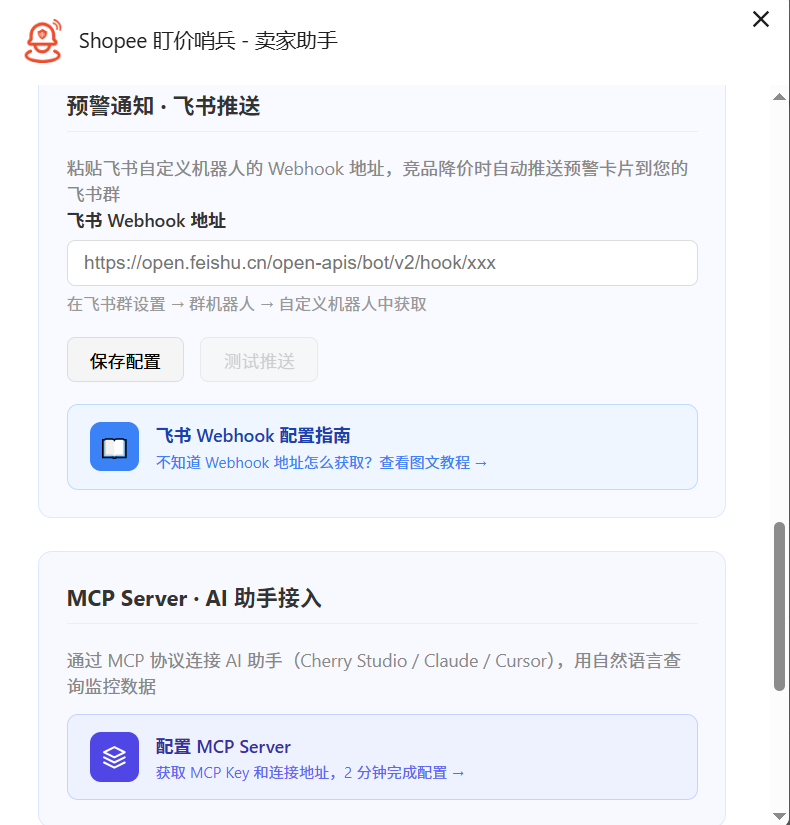
Set up Feishu price alerts
Paste your Feishu custom-bot webhook into the push settings and hit "Send test" to confirm delivery.
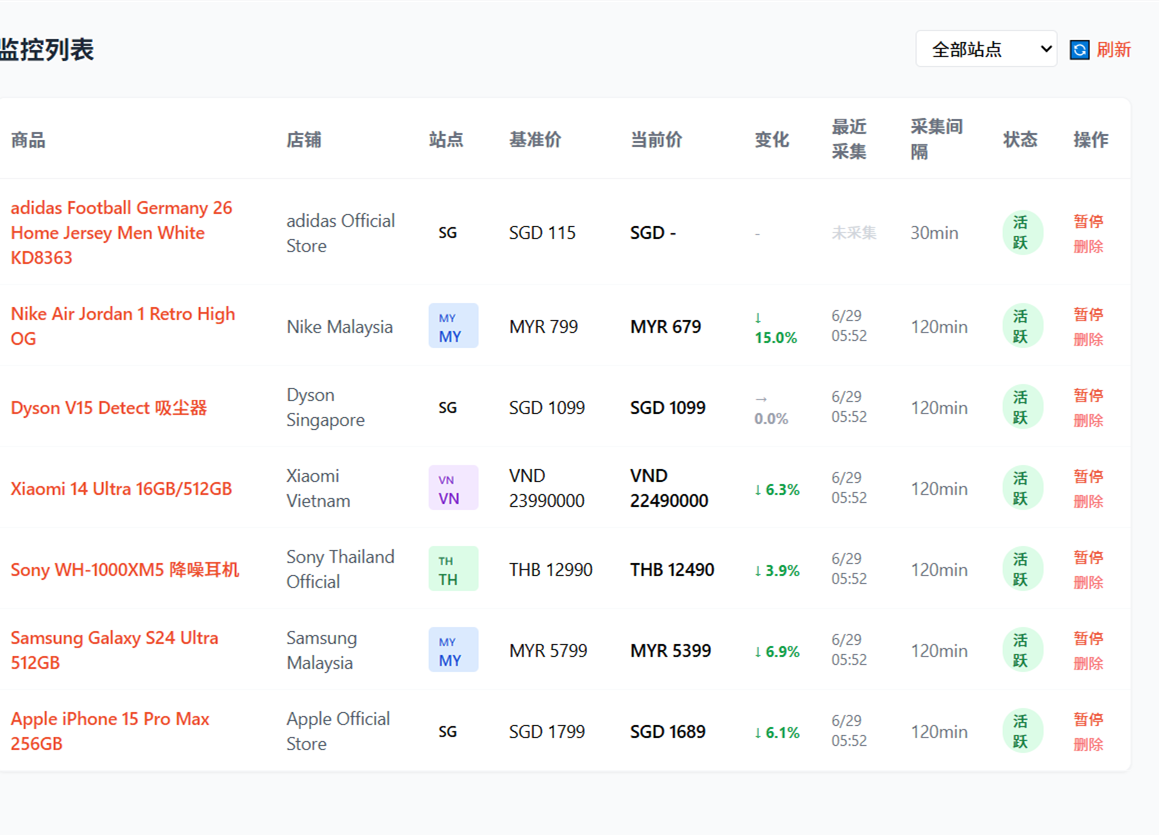
Review trends in the dashboard
The dashboard collects every price change and trend chart. Pro unlocks 30-day trends.
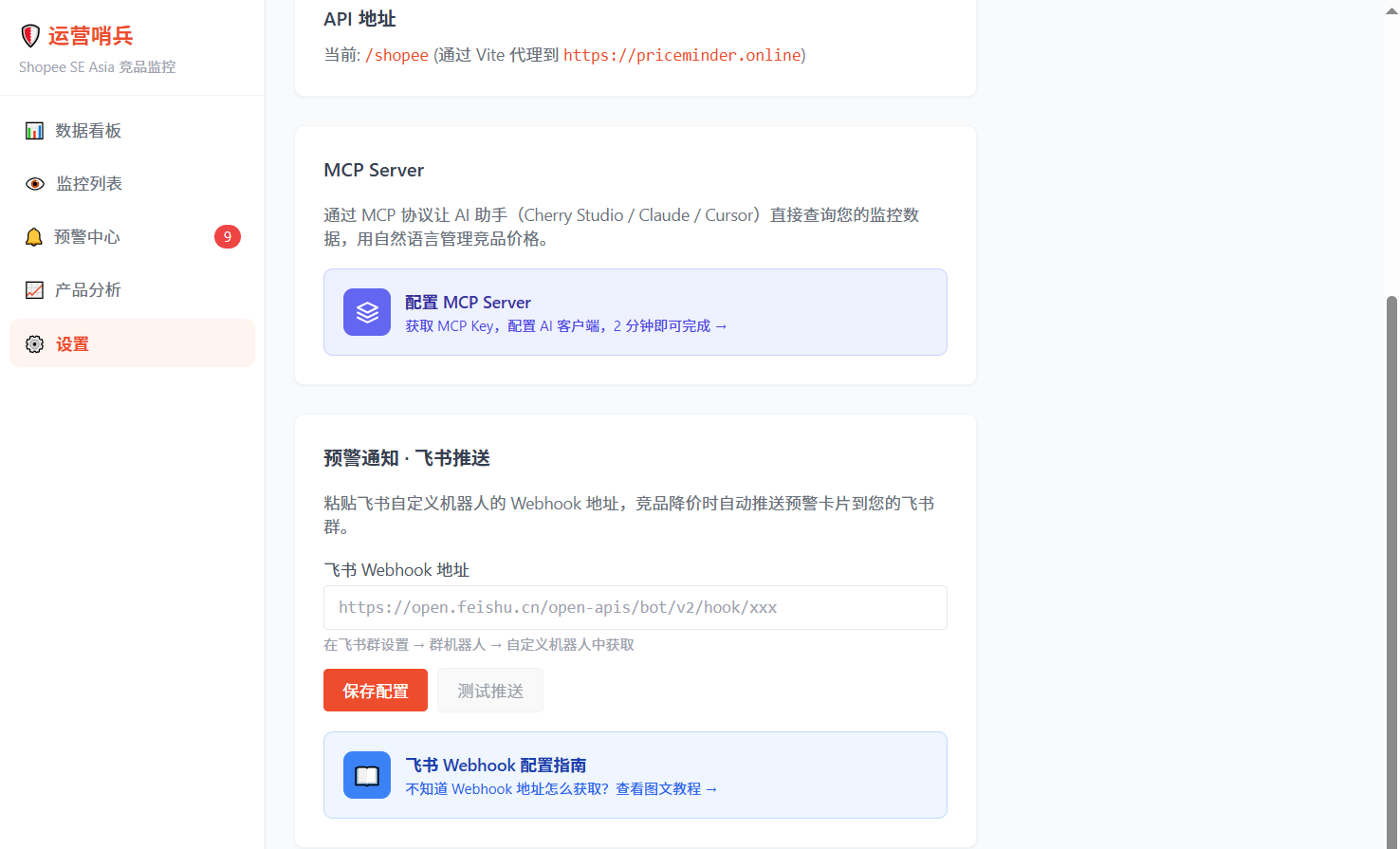
Generate an MCP Key
Your MCP Key is the pass an AI workspace uses to read your data: one per account, read-only access to your own watches, regenerable anytime.
- Log in to the PriceMinder dashboard → Settings → "MCP Config" and click "Generate MCP Key" to copy your key.
- Append the key to the MCP server URL and paste it into your AI client.
- If it ever leaks, click regenerate on the same page — the old key stops working immediately.
Pick an AI workspace and start the conversation
Cherry Studio, Claude Desktop, Cursor, TRAE and other MCP-ready clients all work. Paste the config below, restart the client and start talking.
Works with any MCP client
Cherry StudioOpenClawWorkBuddyClaude DesktopCursorTRAEClineHermes AgentQwenWorkPaste this config into your client
{
  "mcpServers": {
    "sentinel": {
      "url": "https://priceminder.online/mcp_server?key=YOUR-MCP-KEY"
    }
  }
}
Once connected, just ask
- 「Show my watchlist」
get_monitor_list - 「How are competitor prices moving?」
get_price_summary - 「Any new price-drop alerts?」
get_alerts - 「Is the crawler running normally?」
get_crawl_health
Let AI watch your competitors
Let AI handle competitor watching — just ask. 22 MCP Tools let Claude / Cursor / Cherry and other AI Agents check prices, manage watches, and deliver alerts for you. Completely free.
The weekly Shopee margin brief
Fee changes, competitor price moves, and the arithmetic that tells you whether to follow. One email, Monday morning. No sales pitch, unsubscribe anytime.