Edge Installation Guide
 Microsoft Edge · Recommended
Video Tutorial
Video Description
The video shows the complete installation process, applicable to all Chromium-based browsers.
Method 1: Online Installation (Edge Add-ons)
Prerequisites
This method is available after listing on Edge Add-ons store. Before listing, please use offline installation.
Step 1: Open Edge Extensions Store
Open Edge browser and visit Edge Add-ons store, search for "PriceMinder".
Step 2: Click Install
On the extension detail page, click the "Get" button, and click "Add extension" in the confirmation dialog.
Step 3: Pin to Toolbar
Click the Extensions button (puzzle icon) in the upper right corner of Edge, find "PriceMinder" and pin it to the toolbar by clicking the eye/pin icon.
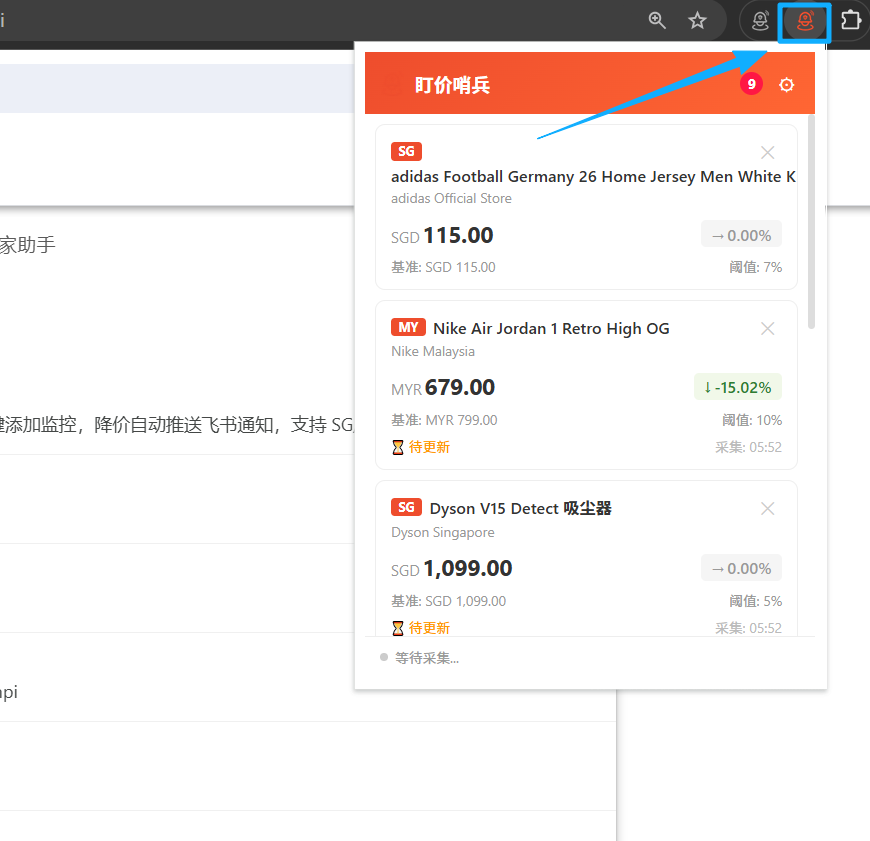
Step 4: Start Using
Click the PriceMinder icon on the toolbar to open the extension panel and start using it.
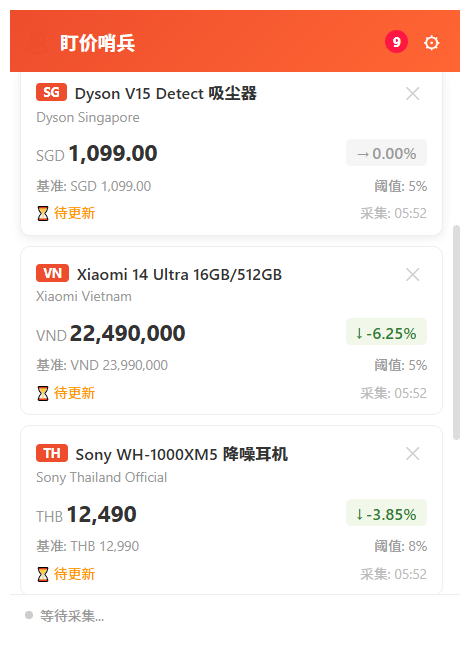
Method 2: Offline Installation (ZIP Extract and Load)
Applicable Scenarios
Use this method before Edge Add-ons store listing, or when the store is inaccessible. Since Edge and Chrome both use the Chromium engine, the offline installation method is the same.
Step 1: Download the ZIP Package
Download sentinelseller-extension-1.0.1.zip from the official website.
Step 2: Extract to a Fixed Folder
Extract the ZIP file to a fixed directory (e.g., D:\Extensions\PriceMinder). Do not delete this folder afterwards.
Step 3: Open Extensions Management Page
Type edge://extensions in the Edge address bar and press Enter to open the extensions management page.
Find the "Developer mode" toggle at the bottom left of the page and turn it on.
Step 4: Load Unpacked Extension
Click the "Load unpacked" button at the top of the page, select the extracted folder to complete installation.
Step 5: Pin to Toolbar
Click the Extensions button in the upper right corner of Edge, find "PriceMinder" and pin it to the toolbar.
Step 6: Start Using
Click the PriceMinder icon on the toolbar to open the extension panel and start using it.
Post-Installation Configuration
Configure Push Notifications
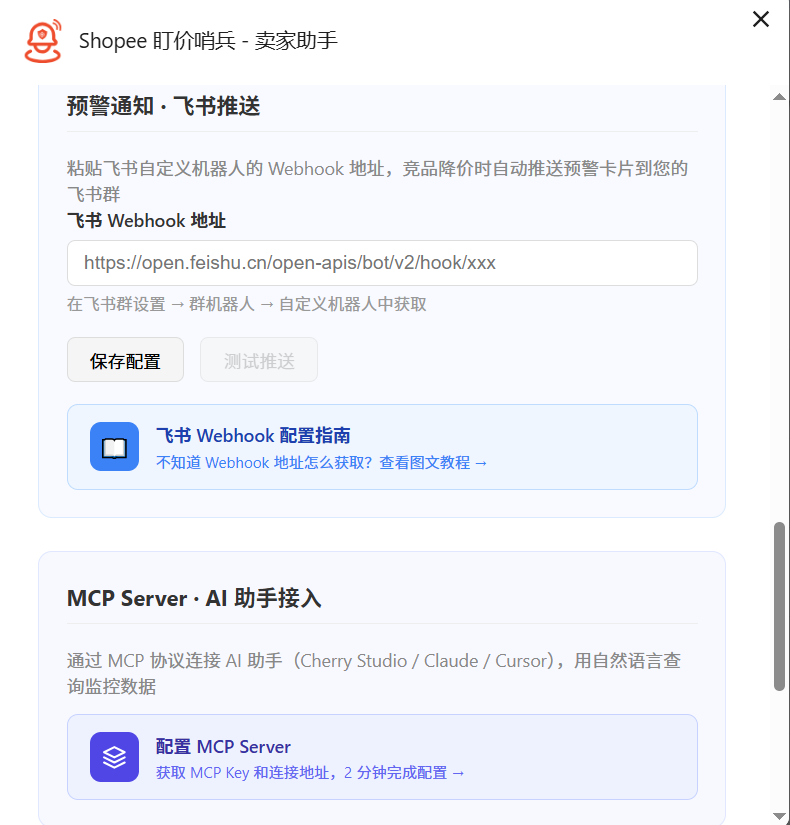
Configure Crawl Interval
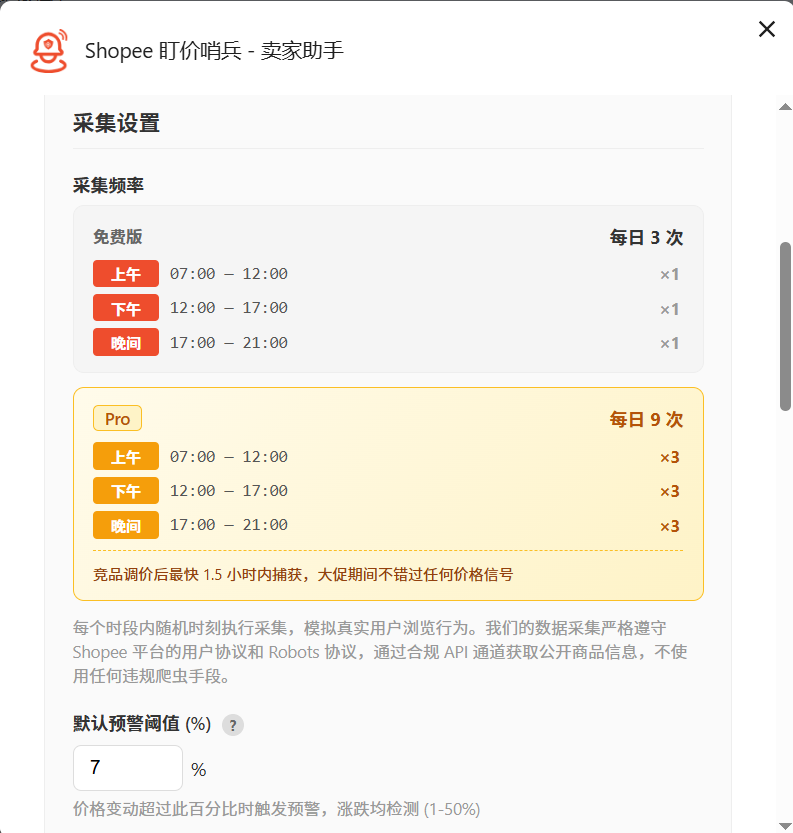
FAQ
What is the difference between Edge and Chrome installation?
Both use the Chromium engine with identical extension functionality. The main difference is the extension management page URL: Chrome is chrome://extensions, Edge is edge://extensions. The location of the Developer mode toggle is also slightly different.
Got an error when loading the extension?
Make sure "Developer mode" is turned on, and the folder path does not contain Chinese characters or spaces.