One-Click Monitoring
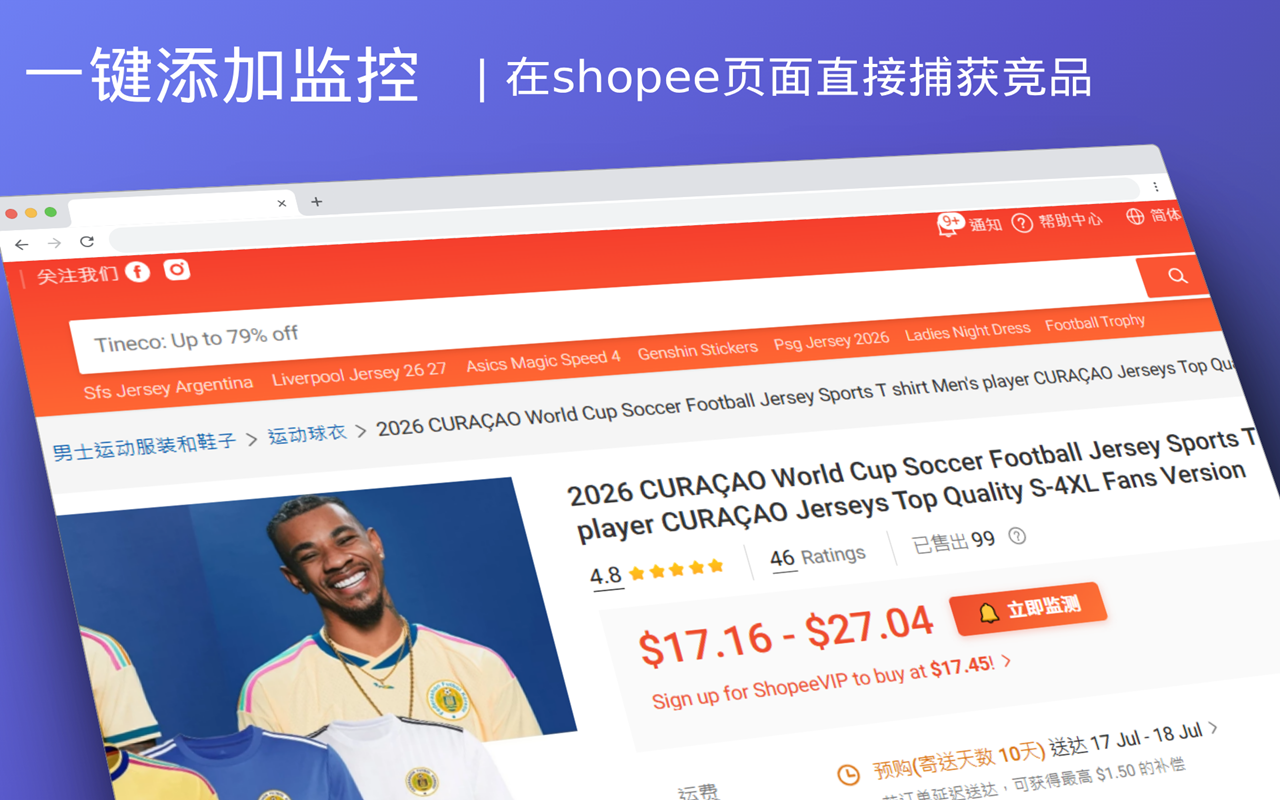
Zero configuration to get started. The Chrome extension adds a product to your monitoring list with one click on any Shopee product detail page. Automatically identifies site and product info — no manual entry required.
Key Features
- Right-click on product page / Extension panel to add with one click — No need to leave the current page, no interruption to your browsing flow
- Automatically identifies site (SG/MY/TH/VN) and product info — Product name, shop, price, and currency are all captured automatically
- No seller backend login required, plug-and-play — Install and use immediately, zero configuration barrier
Typical Use Case
Spot a competitor's link, add it to your monitoring list in 3 seconds. No more manually opening web pages to check prices repeatedly.
Workflow
- Browse products — On any Shopee product detail page, the extension automatically identifies product info
- Click the button — A "Monitor Now" button appears next to the price area, click it with one click
- Auto-add to list — Product is automatically added to your monitoring list, and scheduled price crawling begins in the background
- Runs silently — Crawls automatically at set intervals, sends notifications when changes are detected
Post-Installation Setup
After installing the extension, we recommend completing the following configuration:
- Configure push channels — Set up Feishu Webhook or other notification methods to receive alerts when prices drop
- Configure alert thresholds — Set the percentage price change that triggers an alert (default: 5%)
- Configure crawl intervals — Choose crawl frequency based on your plan: Free plan 3 times/day, Pro plan 9 times/day
Visit the Downloads page to get the installer, or see the Installation Guide.
Other Features
- Near Real-Time Monitoring — Crawl intervals as fast as 30 minutes
- Instant Alert Push — Feishu push notifications when prices drop
- Multi-Site Coverage — SG/MY/TH/VN all covered